Issue
An Issue unites a group of Articles through a common theme. Articles can be be broken up into Collections to further improve User engagement. Montréal Serai publishes Issues on a quarterly basis.
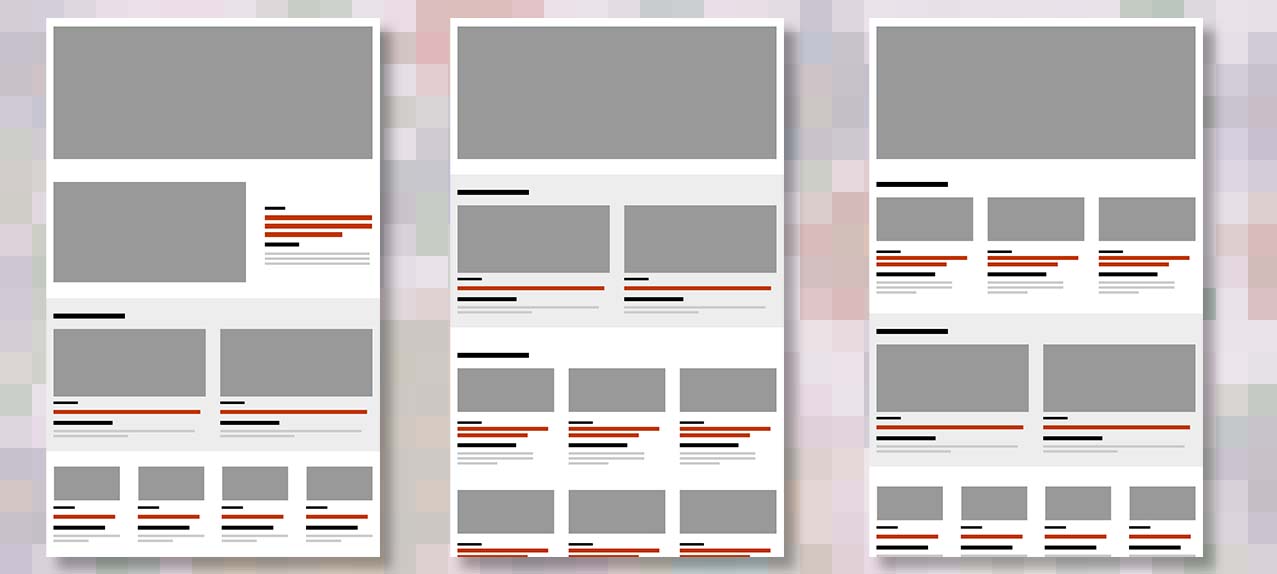
We can enhance the User Experience by strategically organizing an Issue’s articles. A hierarchal arrangement promotes discoverability and captivates Users, encouraging them to explore and engage with the Issue contents.
Adding or editing an Issue
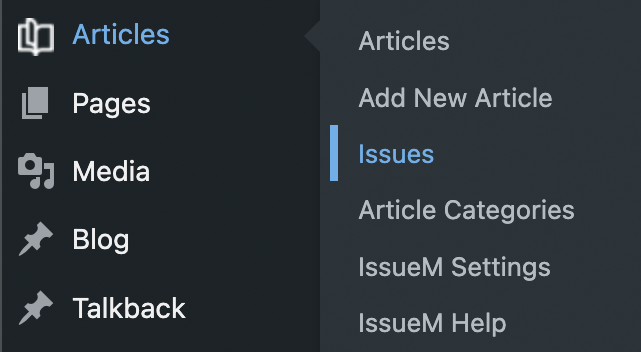
Wordpress: the ‘Issues’ button is a child of the ‘Articles’ menu.
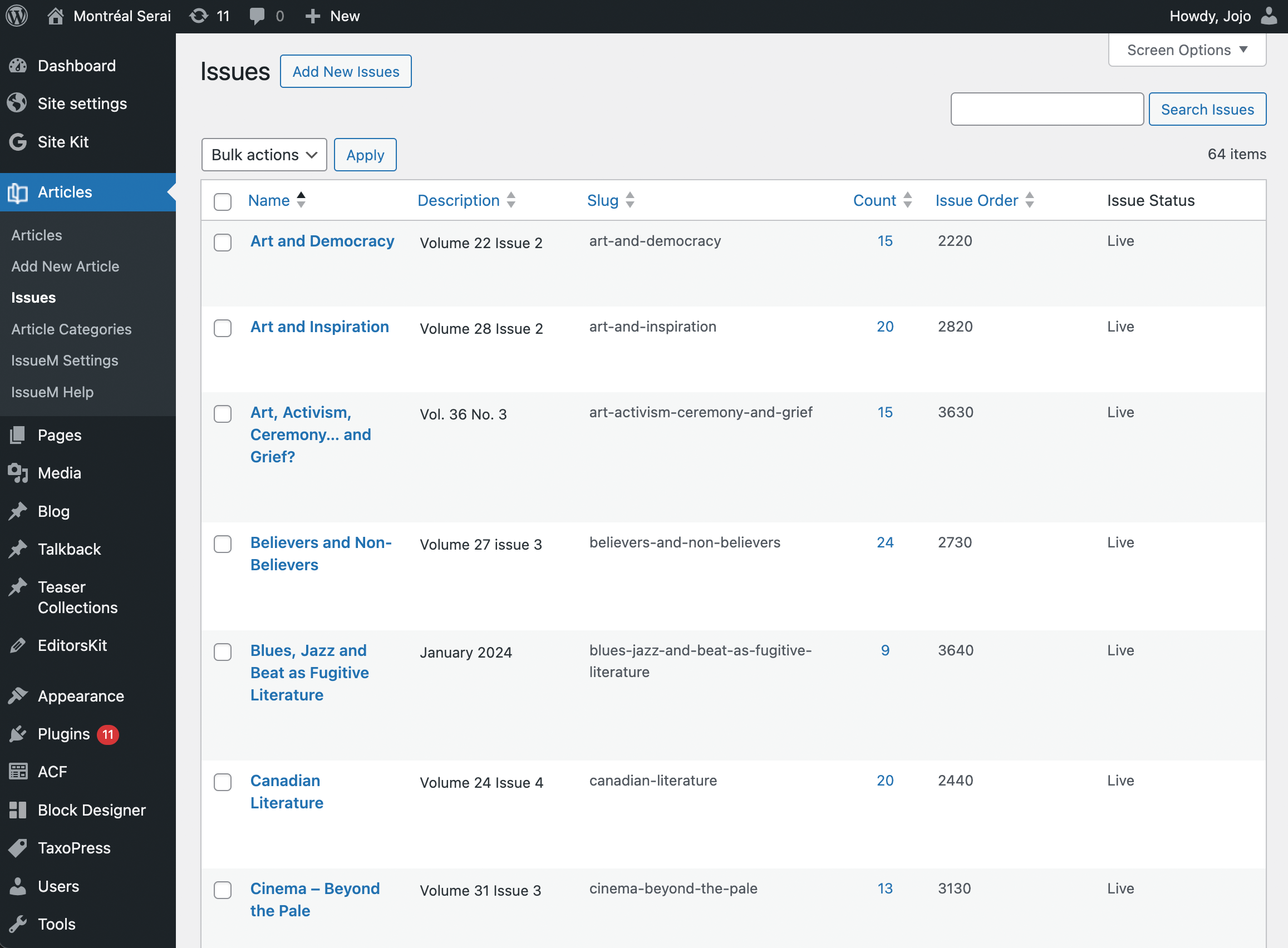
Wordpress: the ‘Issues’ listing page where you can select and Edit or add a new Issue. Clicking Issue Order at the top of the column will sort chronologically.
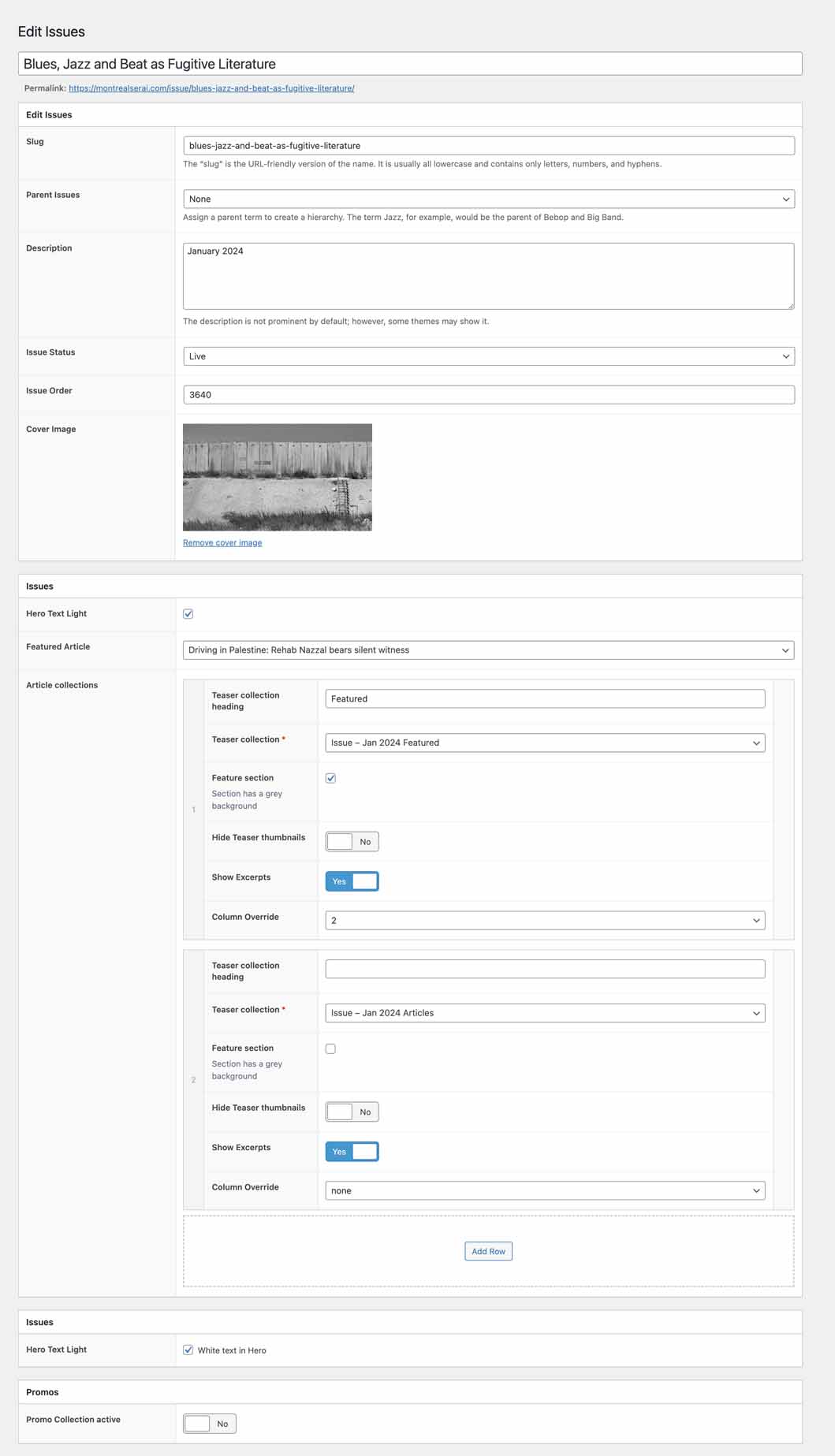
Wordpress: Add/Edit Issue view
Issue title
This content should be determined by the Editorial & Advisory board in advance
Slug
The slug is a URL friendly version of the issue title and will be automatically generated. In rare cases you may need to adjust, the best way, is to copy and paste the Issue title in this field, and let the system do the work.
Description
This content should be determined by the Editorial & Advisory board in advance
Issue status
The two options we use are Live and Draft
Issue Order
Issue order is a numbering system to help organize the order of the Issues when listed on the (https://montrealserai.com/issues/)[Issues] page. Take the Volume and Issue and add a zero. eg: V36 I4 = 3640
Cover image
The Issue Cover image will determined in advance by the Editorial and Advisory board.
- Minimum width 1600px
- Subject should be centred horizontally and vertically in order to view on all screens and devices properly (See Imagery section)
Hero Text Light
This checkbox determines the theme for the Issue text. Default (unchecked) is Dark and checked is light (with a drop shadow)
Featured Article
The Featured Article allows the Author to select a primary Article for the Issue. Once a Featured Article is selected, the Issue requires authoring using Teaser Collections in order to complete the layout.
Teaser Collections
The Teaser Collections section allows the Author to extend the default 3 column grid layout of an Issue using collections to create groups of Articles introducing variation and significance. Teaser Collections is a repeating option set that takes care of the layout math based on the number of Articles in the selected Teaser collection.
Teaser Collection Heading
This is an optional title field providing the Author an opportunity to provide context to the group of Articles. A best practice here is to avoid vague/useless headings, if the title offers no value to the User or Search Engine, leave it blank. Learn more about Writing for web.
Teaser Collection
The Author uses the field to search for a previously created Teaser Collection and the group is added to the landing page. Use Add Row to add another collection. As Teaser Collections can have between 2-12 Articles, the backend will handle the layout (rows with 2,3,4 columns). Note: Several more features are in progress to extend collections.
Feature section
This toggle extends the grouping of Articles by adding a grey background to the section,
Hide Teaser thumbnails
Sometimes you may want text only Teasers. This comes in handy when working with older Article collections where they do not have Featured Images
Show Excerpts
Toggle Excerpt text visibility. Default is Yes.
Column Override
By default the system will define the number of columns used to display a Teaser Collection (2,3,4) based on the number of Articles in the collection. This override is a useful override in some cases.
Add Row
Add Row allows another Teaser Collection to be added to the Issue landing page.
Promos
Promos are Teaser Collections with a specialized look and feel to encourage the User to continue to explore the site once they have reached the bottom of a page. Site settings defines a default collection for Issues (the Current Issue Teaser Collection is most logical) to be displayed. If the Promo Collections active toggle is set to Yes then the Author can provide an alternative Teaser Collection or remove the Promos section entirely.