Article
Articles are the basic building blocks of content used on montrealserai.com.
An Article extends the standard Wordpress post by adding fields and categories which build the data relationships that allow us the flexibility of organizing them thematically and/or contextually.
Adding or editing an Article
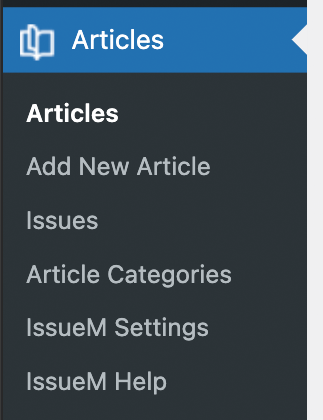
The ‘Article’ button in the side menu where you can Add a new Article, or navigate to the Article listing page.
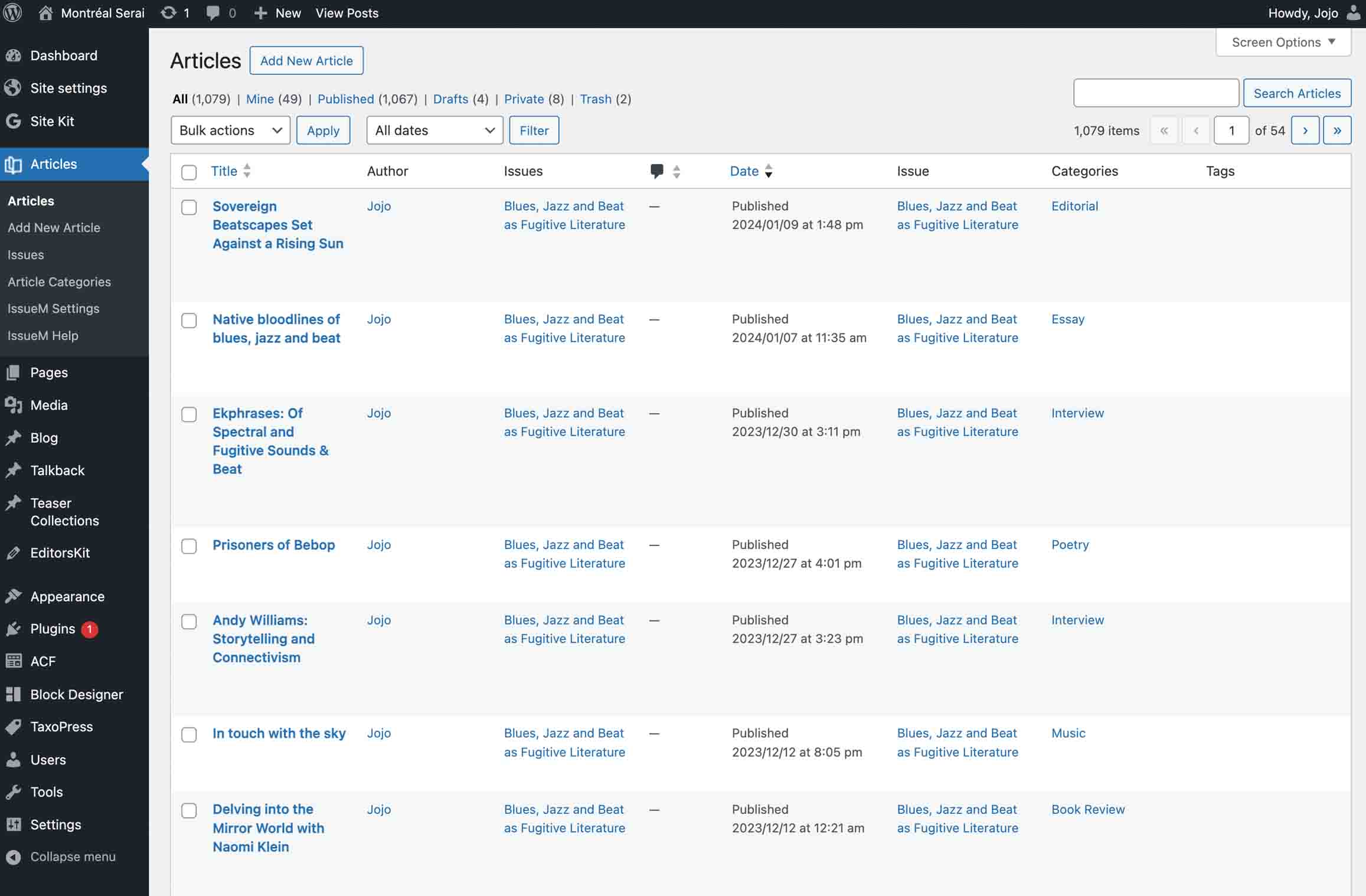
Article listing
From the Article listing you can choose an Article to edit or add a new one.
Article panels and options
Articles follow the Post content model with a few exceptions where we have custom fields and settings based on our needs as an e-zine (vs a blog). The button below provides descriptions of most of the panels and options available to the Author.
Article panels and options overview
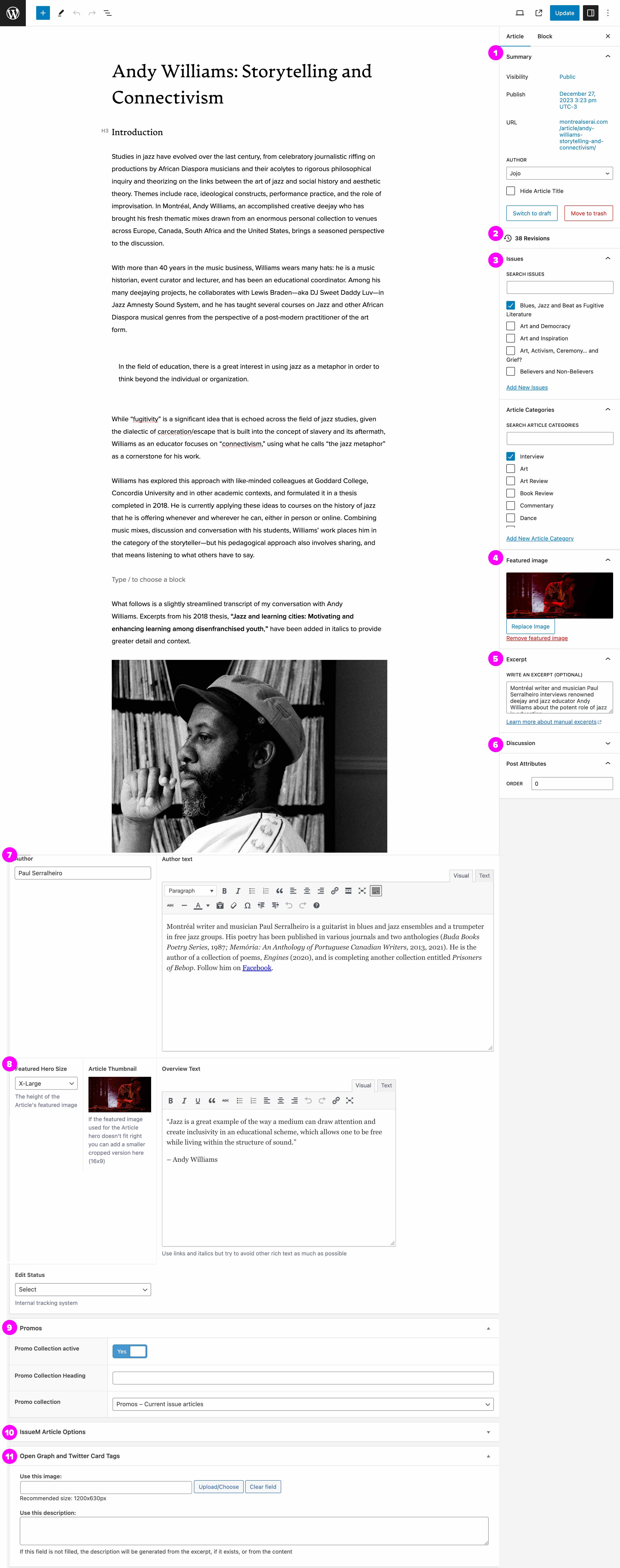
Article panels and options
The following descriptions are provided to help the Author navigate the Article Editor UI.
-
Summary
Standard Wordpress top-level publish options.
-
Revisions
Version control system allowing the Author or Editor to revert to a previous backup.
-
Issues
Montréal Serai uses custom taxonomies in order to organize Articles into Issues and Article categories. It is mandatory to select one and one only for each option.
-
Featured image
Featured Image is used for the Hero image at the top of the Article. A cropped version is used for the Article teaser thumbnail. The Article custom fields (Panel 8) can be used to extend the Feature image when needed.
-
Excerpt
The Excerpt is a very brief description of the Article used in Teasers to entice the User to click and read the Article. It is very important for SEO and User engagement and should be considered a critical component of an Article and not a simple copy/paste of the first sentence.
-
Discussion
By default Discussion (collapsed panel) is checked, allowing readers to comment. On the rare occasion, an Author may decide to uncheck and disable comments.
-
Author
Author and Author Text deviate from the standard used in publishing where an Author exists in the global scope of the e-zine. On montrealserai.com we use custom fields as the Author is specific to the Article, thus allowing an Author to have multiple bios.
-
Post options
- Featured Hero size allows the Author to select different height options for the Article Hero image providing the Article has a Featured image set.
- Article thumbnail is used when the Article Featured Image does not display well as thumbnail in a Teaser. The image added here should be 16 x 9 and 800px wide.
- Overview text (also called Leader text) is the large text block description that follows the Title and Author in the Article header. This field can be used as an overall description but should be enticing as to encourage the User to continue reading. Copying and pasting the Excerpt field contents here is not encouraged. This field is very useful for SEO.
-
Promos
Article specific Promo collection found below the content and above the template footer. By default, active is set to Yes and the Collection is set to 'Promo - Current Issue articles'. This can be overridden on a per Article basis. For example, it would make sense for an article about the conflict in Ukraine show a curated Collection of articles on the theme of war or Ukraine.
-
IssueM Article options
IssueM is the plugin used for most of the heavy lifting required to use Wordpress for an e-zine however the options in this panel (currently collapsed) are not being used at this time.
-
Open Graph and Twitter card tags
By default a social media plugin is responsible for determining the image and descriptions used when a User shares an Article. This panel allows the Author to override these defaults.
Article content authoring
The body content of an Article uses the Gutenberg Editor which is composed of blocks with a variety of options from rich text and images to video and pullquotes. The Gutenberg editor is a global component of Wordpress and used in all Post type content models. To learn more about authoring these sections see Editor and Blocks.